

Note: The HQ name and/hqroute are for F[no] 0.4.6. Old/commandURLs redirect to/hqand keep their query string.
Open the page
What the agent runs
You need the F[no] mux running on this machine. To check, runfno mux ls. It prints one line per mux server. You also need one running seat, which Run a fleet starts.
Your agent starts HQ with this command. It holds the terminal:
- Open the private URL that the bridge printed.
- Click hq in the top bar to open
/hq. Keep thet=token in the URL.
fno fleet · read <N>s ago · <N> sessions after the first read. The page reads again every 60 seconds while its tab is visible.
Warning: The token is the only guard on the port. Anyone with the full URL can read the page. Keep the URL private.To stop the bridge, press Ctrl-C in its terminal.
Open it from another device
What the agent runs
The bridge listens on this machine only. To reach it from your private network, bind it to the machine’s Tailscale address, and open the printed URL on the other device:--bind address, the question drawer has no Answer section.
Warning: Do not bind to 0.0.0.0. That opens the port on every network.
To share more than this page across machines — the backlog, the claims, the agent chat — see Run one fleet across machines.
Read the page
What the agent runs
A seat is in one of four states:
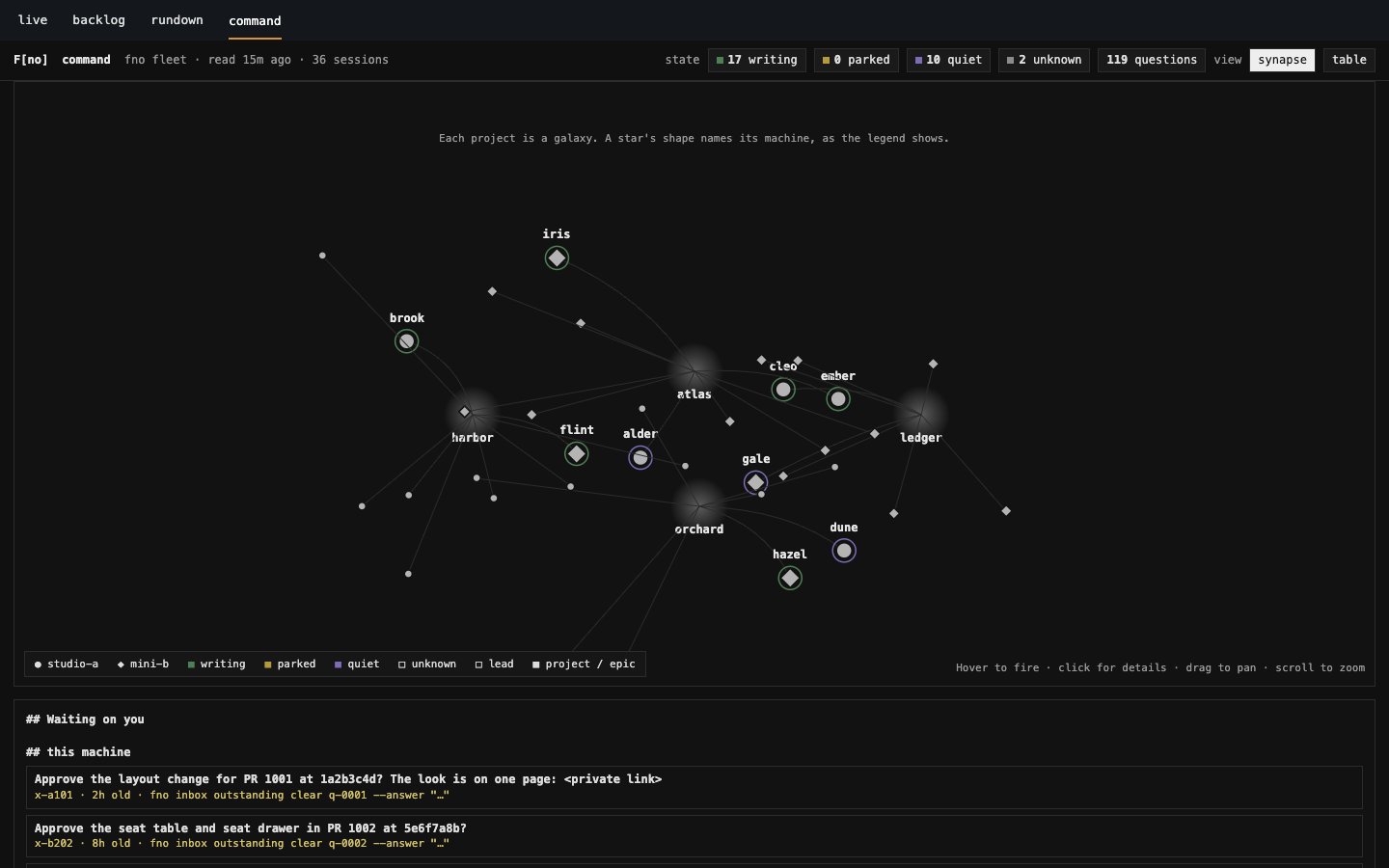
Open a worker’s plan or PR
What the agent runs
Click a seat to open its drawer. The drawer shows the node, the session facts, the last message, the last prompt, and an Open section.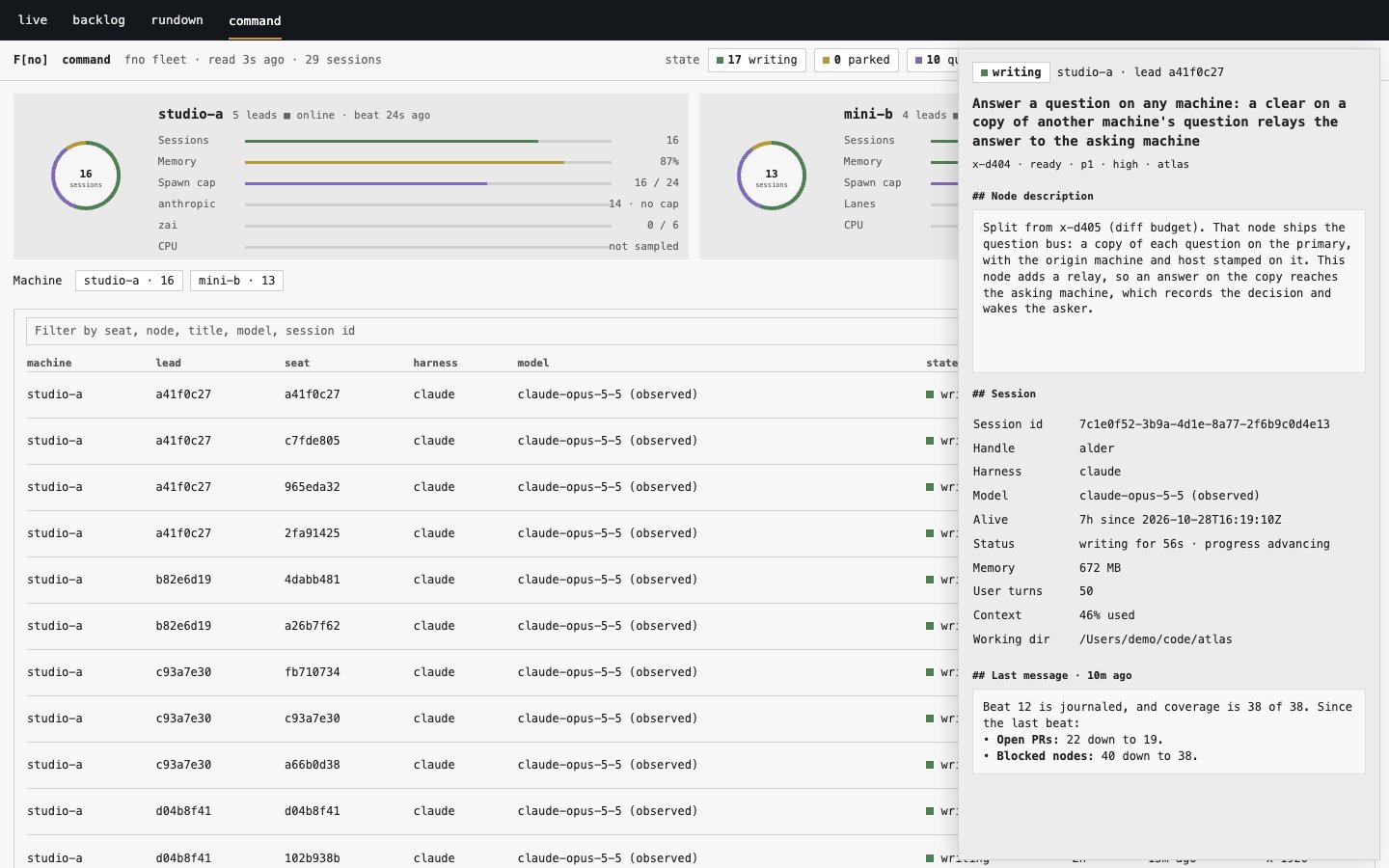
not published there.
Answer a question
What the agent runs
Select a question under Waiting on you to open its drawer.Answer in the drawer
What the agent runs
The drawer starts with an Answer section. A question with options shows one button per option, with the recommended option first. Select a button to send that option. Every question also has a box for your own words. Type your answer, then select Send. A pin shows Done in place of the options.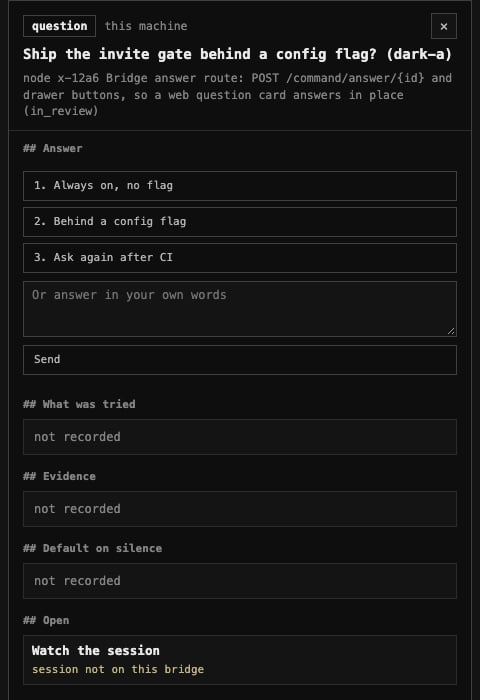
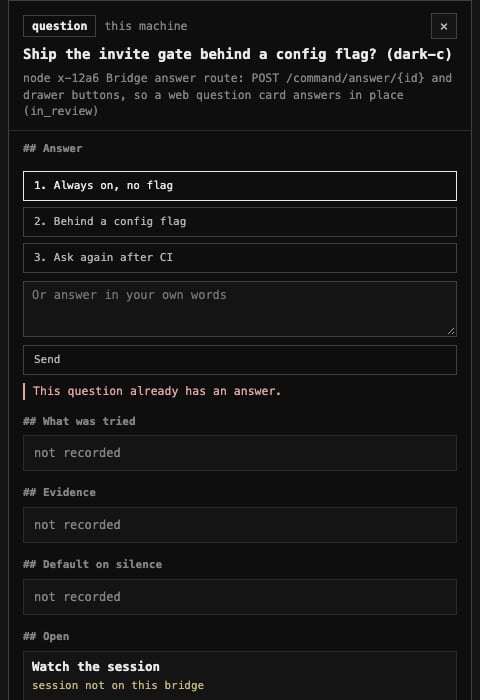
Recorded, and the question leaves Waiting on you. The team picks the answer up on its next beat. If an earlier answer already stands, the section reads An earlier answer stands. If the page refuses, the section prints the reason in red and turns the buttons on again.
See where a question came from
What the agent runs
The Open section of a question drawer has a Node origin session row. It names the session that first filed the node, and it is not always the session that asked. The row readscame from <harness> <first 8 characters of the session id>.
- If the bridge serves that session’s pane, the row has an Open button that opens the pane on this bridge.
- If it does not, the row shows the command that resumes the session, with a Copy button.
- If neither is possible, the row gives the reason.
Let other people answer
What the agent runs
By default, only you answer: a request that comes straight tolocalhost on your machine is you. To let a second person answer, put the bridge behind tailscale serve on its default loopback bind, and list their login in config.toml:
emailis the Tailscale login. Tailscale sends it on each request. If the bridge is bound to loopback, F[no] trusts it.scopeis*for every node, or one node id. A node id covers that node and every node under it.roleisviewer,commenter,editororowner. Viewers read the page. Answering needseditor. Acommenterreads like a viewer, because no route needs the role yet.
viewer invite. A login outside the list gets 403. With no list, the page reads as before, and a request through Tailscale cannot answer: it gets 403 that names web.invites.
Fix a notice
What the agent runs
If a read fails, the page keeps what it can and names the failure.Next steps
- Run a fleet: start the workers that this page shows.
- Message agents: send a worker a follow-up.
- Read a node’s history on the trace page: see a node’s phases, tasks and errors. The drawer’s Trace row opens it.
- Manage a backlog: read and change nodes.