

fno config plugins.
After this page, you can turn on the mods that ship with F[no] and show one in a pane. You can put a mod in a layout slot next to your pane. You can also install a pack from a git URL and see what it runs before you agree.
Nightly builds before v0.4.9 named this tab Extensions. The v0.4.8 release has no Mods tab.
Terms
- Pack: a folder or git repo with a
plugin.yamlfile. It holds mods, layouts, or both. - Mod: one panel in a pack. Its name is
<pack>/<mod>, for examplefno-panels/review-ledger. - Switch: the on or off state of one mod. Only a mod that is on can run.
- Digest: a sha256 hash of every file in the pack. A change to any file gives a new digest.
- Slot: one place in a layout. A slot holds your pane, a shell, an agent, or a mod.
Before you begin
- Install F[no] v0.4.9 or later through the quickstart. Run
fno --versionto check. - Open the mux: run
fnoin your project folder. The mux opens with one pane. Create a mux workspace and start a session shows this step.
graft command must run in a mux pane.
The three kinds of mod
Each mod draws its panel in one of three ways. The kind decides whether the mod is on after install.
A run mod runs code from the pack. The Mods tab marks it “Runs code”.
Turn on the packs that ship with F[no]
F[no] ships one pack,fno-panels. It holds the Backlog board, Review ledger and Decisions mods. The pack sits in the plugin folder that the installer writes. Activate it once:
Use the Mods tab
- Press
Ctrl+b, thenShift+S(a capital S), to open Settings. If you changedmux.prefix, press your prefix instead ofCtrl+b. - Press
Tabuntil the dot moves tomods, or clickmods. - Move with the up and down arrows. Press
Enteron a row to use it, or click the row.
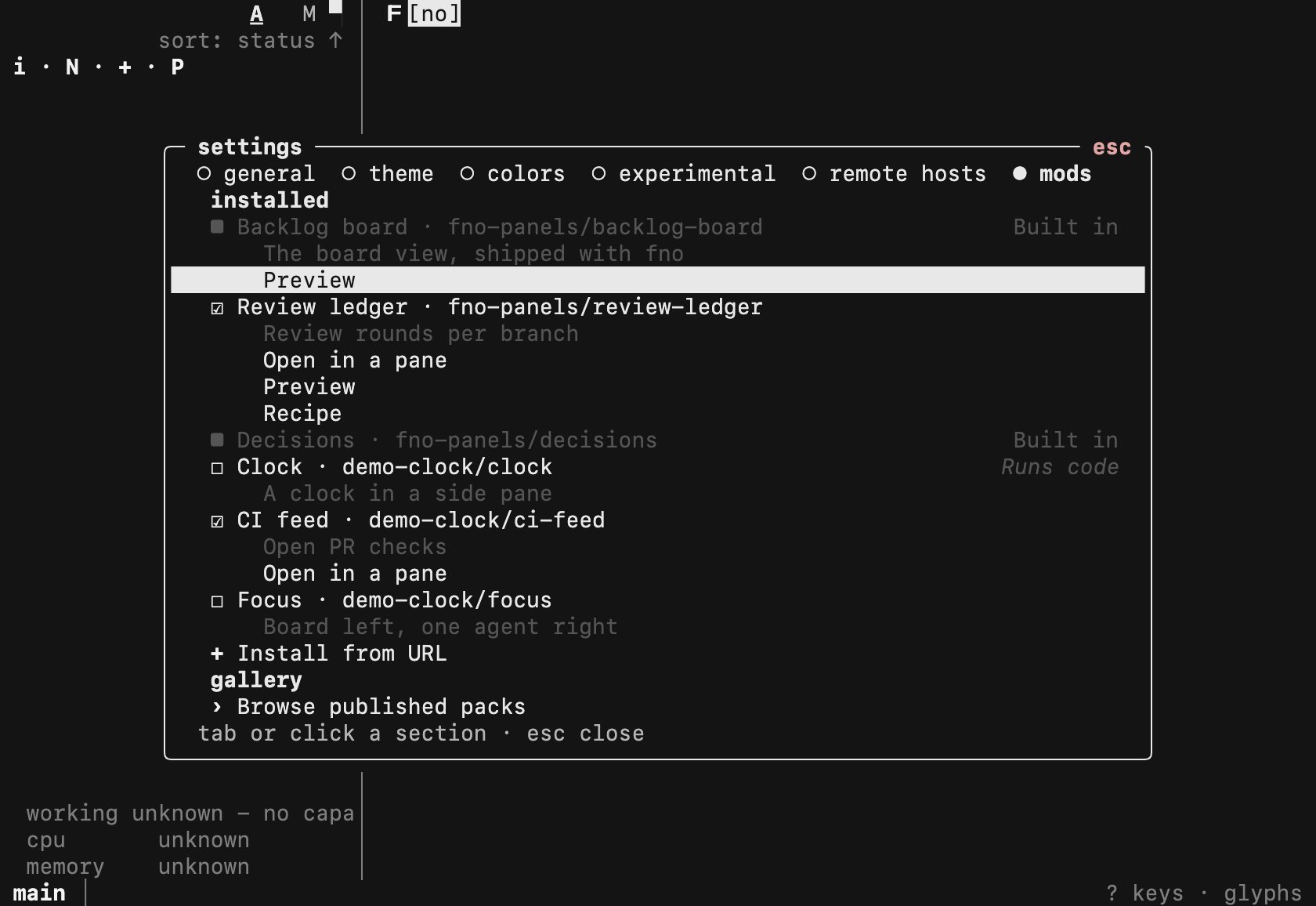
<pack>/<mod> name and a one-line summary. Under it are these rows:
While the tab is open, it reads the installed list again every 3 seconds. A pack that finishes its install in a pane shows up with no key press.
Turn on a mod that runs code
The first time you turn on a run mod, the tab asks before it runs anything. It shows the command and the commit the pack came from.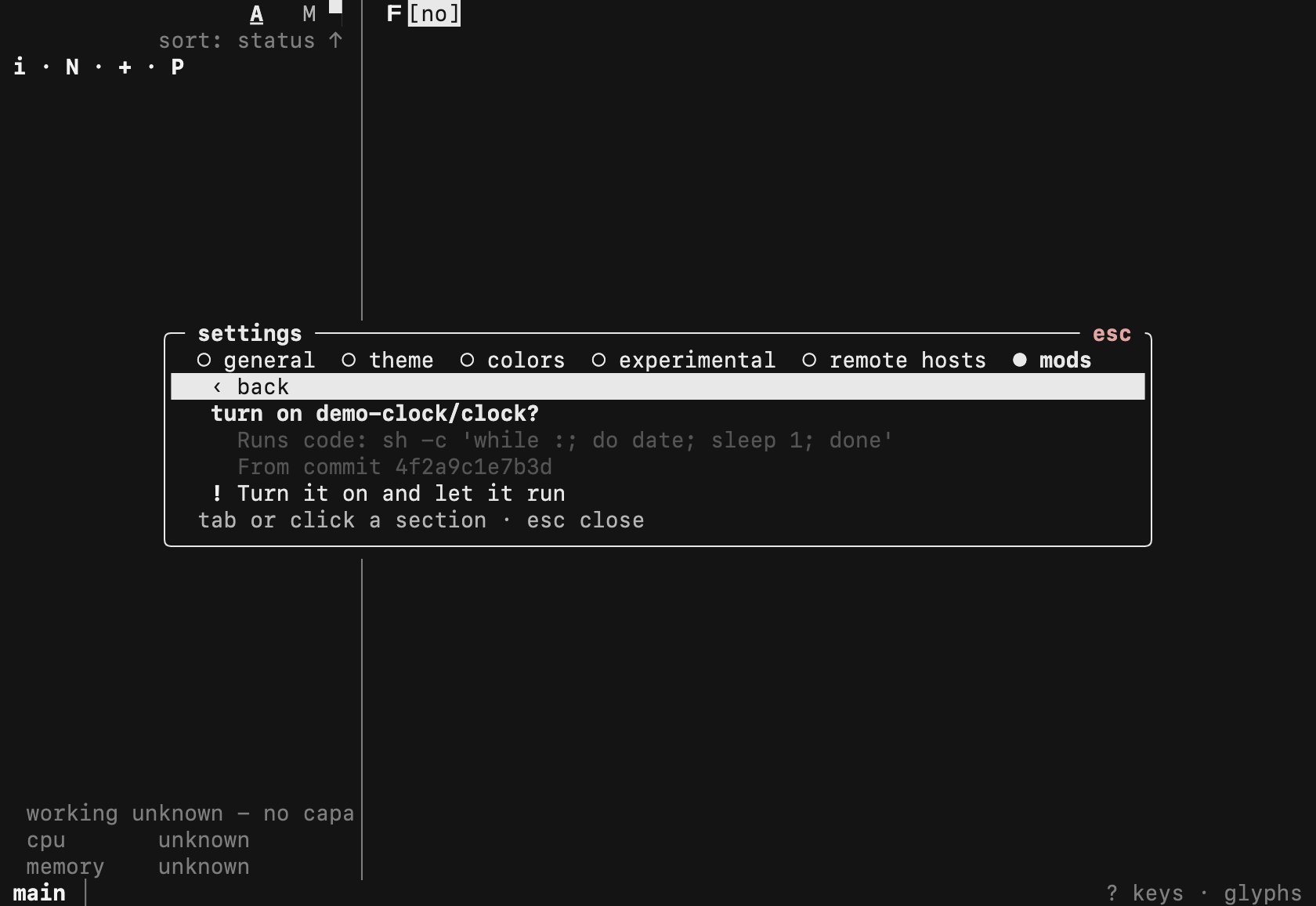
Enter on “Turn it on and let it run”. To stop, press Enter on “back” or press Esc.
Switch a mod from the command line
The same switches work outside the mux:fno-panels, to switch every mod and layout in the pack.
Install a pack from a URL
A pack from a URL is code that someone else wrote. F[no] runs none of it before you agree.- In the Mods tab, press
Enteron “Install from URL”. - Type or paste the git URL, then press
Enter.
fno inbox approvals decide command for a person to run.
A new commit of the pack is a new digest, so you agree again. Packs do not update by themselves.
Find published packs
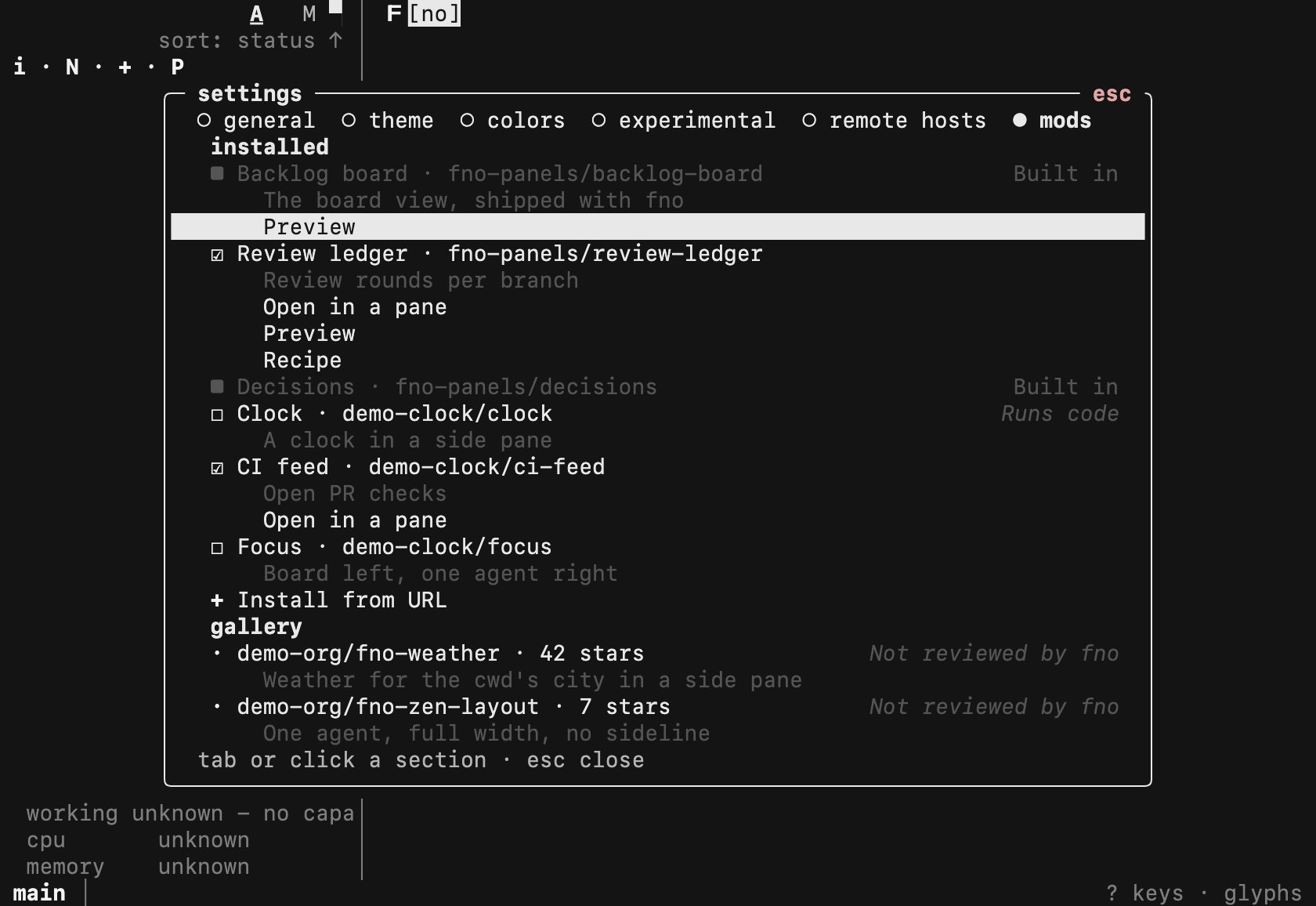
PressEnter on “Browse published packs”. The tab lists public repos that carry the fno-mod, fno-layout or fno-pack GitHub topic. It installs nothing. Press Enter on a row to put its URL in the install field.
Put a mod in a layout slot
fno mux layout graft splits your current pane into a layout and fills each slot. You do not need the Mods tab for this, and a mod pane you opened from the tab can stay open. To fill a slot with a mod, use --slot mod:<pack>/<mod>. Run this in a mux pane:
--at currentkeeps your pane as the anchor of the layout.--templatepicks the shape:main-left,main-top,row-thirds,col-thirdsorgrid-2x2.- Each
--slotfills the next slot in order. A graft needs at least two. Giveanchoronce for your own pane.
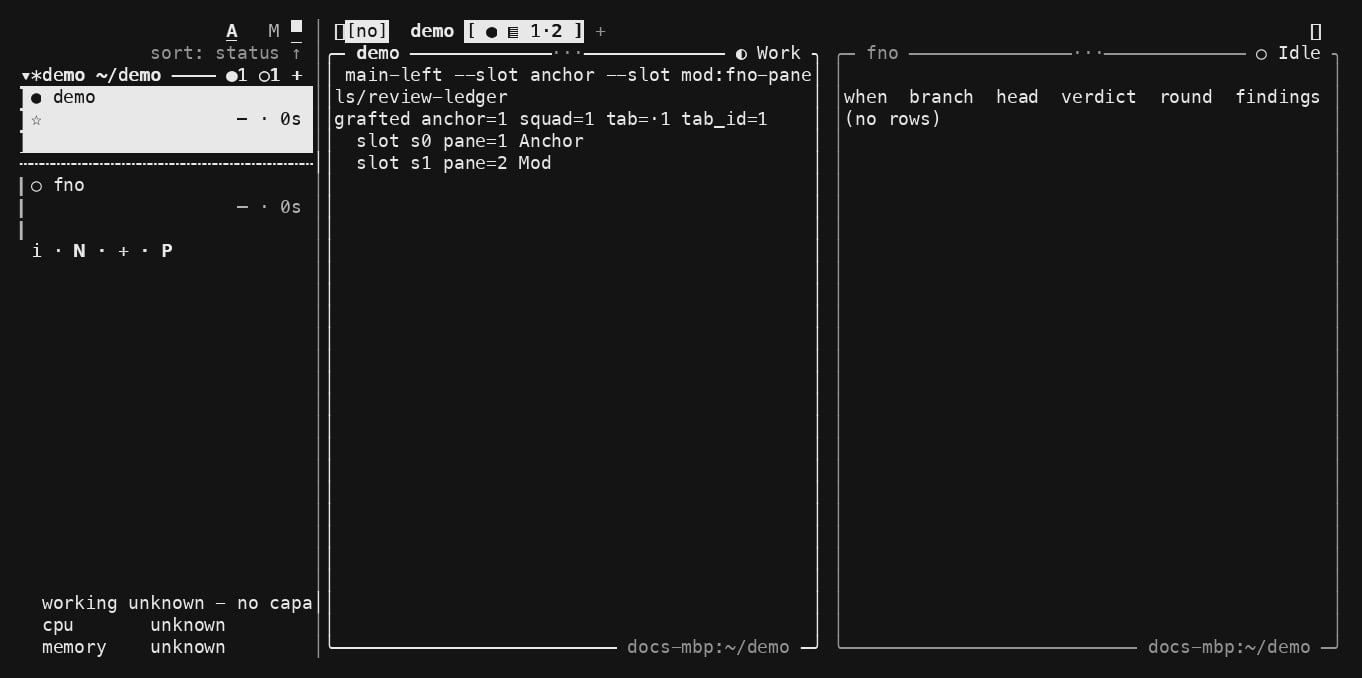
fno config plugins open <pack>/<mod>. A slot cannot name any other command.
Use a feed or run mod in a slot. A built-in mod, such as fno-panels/backlog-board, opens only from the mux. Its pane prints is the mux's own backlog-board view; open it from the mux and stops.
A mod slot that gets a shell
If the mod cannot start, its slot gets a shell, and the graft still succeeds. The plain receipt showsShell for that slot. Add --json to see why:
A name that is not
<pack>/<mod> refuses before any pane starts:
Mods in the desktop app
The desktop app has the same list as its Mods view. PressCmd+3 or click Mods in the strip. It reads the same installed list as the mux tab, so a switch in one shows in the other. Install and open run in a mux pane, and the window then moves to the terminal.
Limitations
- A mux restart does not start a mod pane again. Each pane has a keeper, a small process that holds the pane’s program. If the keeper still runs after the restart, the mux takes the pane back. If the keeper is gone, the slot shows a shell.
fno mux layout apply, which arranges a whole window, has no mod slot yet. Usegraft.- A pack from a URL that holds roles, skills, agents, adapters, workflows or evaluators refuses. Install that pack from a local folder.
Next steps
- Create a mux workspace and start a session: keep each project’s tabs and panes apart.
- Set mux keys and resize splits: move
Ctrl+bto another prefix.