

Before you begin
Install F[no] through the quickstart. Run Claude Code inside the mux. Outside the mux, neither message band has readable text, so use these two themes inside the mux.The two themes
The plugin ships both Claude Code themes in
themes/. To list them, run /theme in Claude Code. Look for “Footnote Paper from fno” and “Footnote Superscript from fno”.
The mux passes the theme with --settings for that session only. It never edits your settings.json. Resumed and restored panes get the theme too. A pane that already names a settings file keeps that file. A mux theme with no brand match, such as terminal or catppuccin, leaves Claude Code on its own theme.
Check a pane
- Set
mux.theme = "footnote-superscript"ormux.theme = "footnote-paper"in your config file. - Start a Claude Code pane in the mux.
- Send a message that holds a backticked word. Ask Claude to reply with a heading, a backticked word, and a code block.
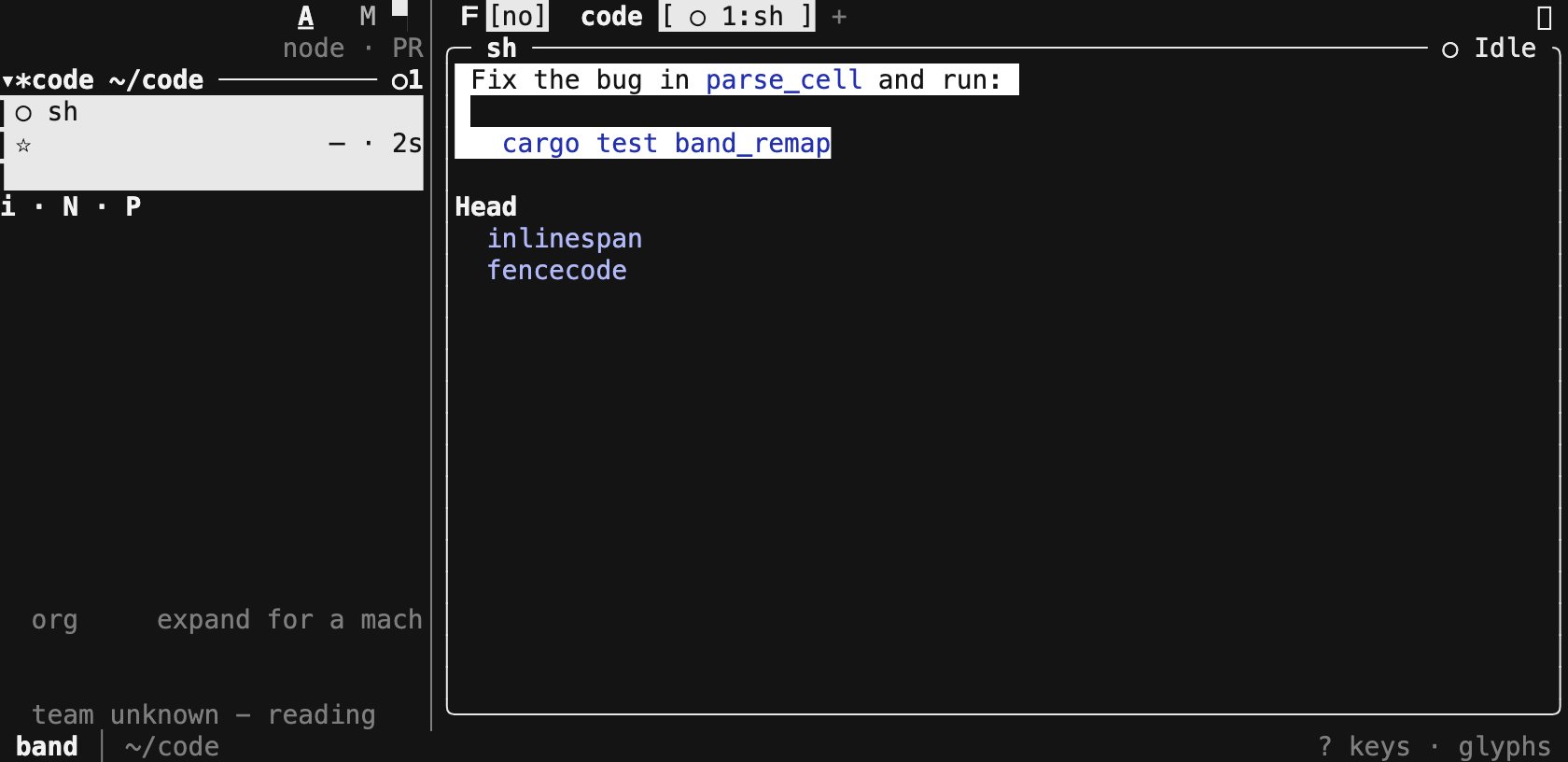
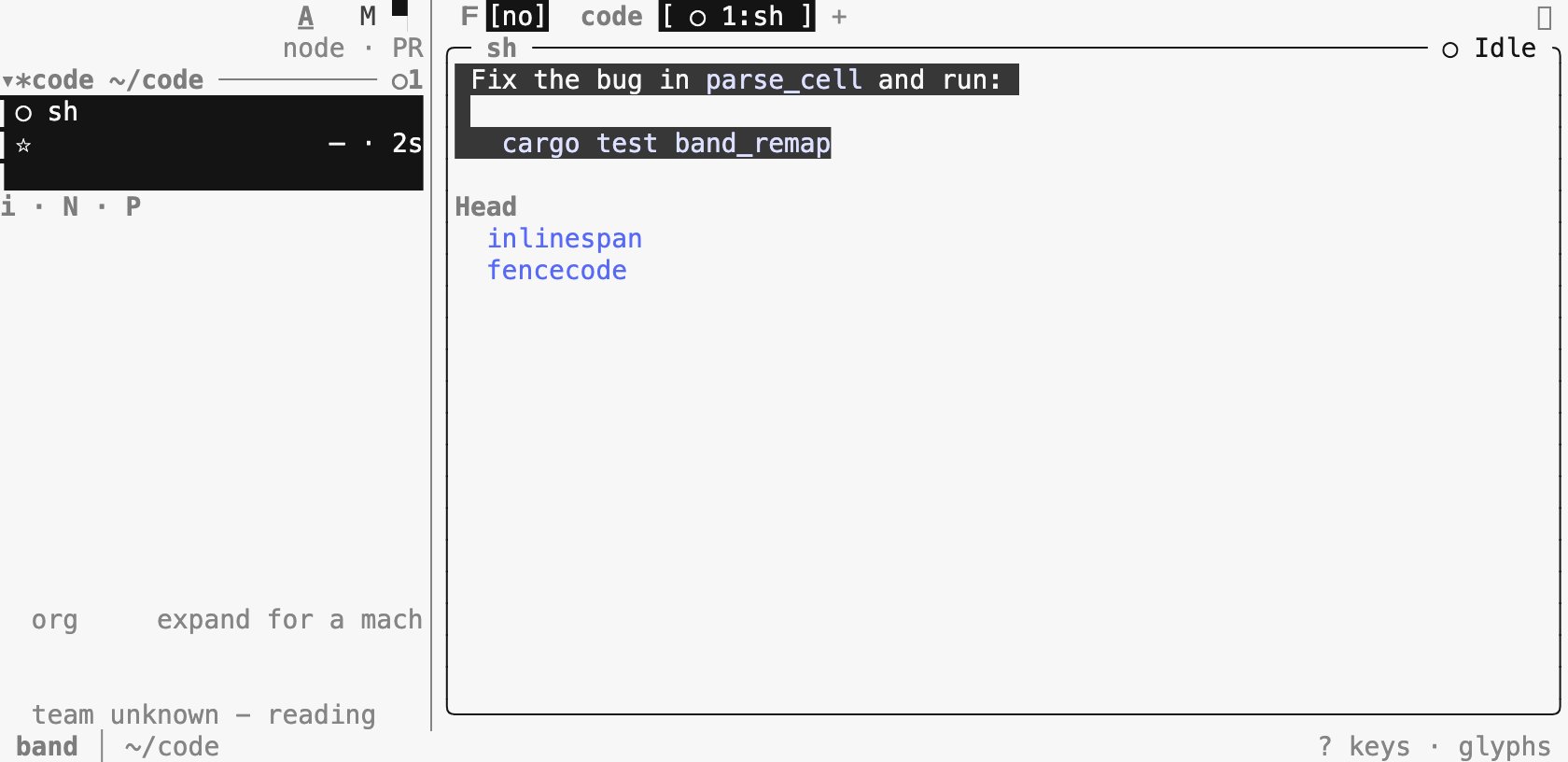
Where each color comes from
Claude Code paints an inline code span and a code fence with thepermission color of its base preset. A custom theme file cannot change that color, so the F[no] themes do not set it. The base presets give these values:
Claude Code 2.1.316 lets a theme set the band background, but not the band text. The text keeps the base color. With no fix, the band reads dark on dark (Paper) or white on white (Superscript). The mux fixes this. It repaints the text of cells whose background is exactly a shipped band color.
A code span inside your own message keeps an accent color on the band. It is
#dde1ff on the Paper band and #2330b0 on the Superscript band.
The repaint leaves code blocks, diffs, and every other cell alone. It reaches every pane, not only Claude Code panes. If another program paints one of those exact backgrounds, its text stays readable, but it loses its own text colors on those cells. The browser viewer (fno mux serve --web) applies the same repaint. The terminal theme skips it in the terminal client.
Use Paper on a light terminal
The mux does not paint pane bodies, so the terminal decides the ground. On a light terminal the mux picks Paper and leaves the terminal background alone. In Ghostty, set these two lines to match Paper exactly:mux.theme = "footnote-paper". The mux then paints that ground itself.
Limitations
Threads take the theme from the launch
A thread (claude --bg) takes its theme from the launch, not from the pane that attaches to it, because claude attach ignores --settings. The mux sets FNO_CLAUDE_THEME in each worker pane. A fno agents spawn run from that pane writes the theme into the thread’s settings file.
You cannot recolor backticked text
A theme file cannot change the code span color, because Claude Code ignores a custompermission value. You can still change the other mux colors. The mux.themes table in config.toml sets them by role.
Next steps
- Run a fleet: start workers in the mux and watch them.